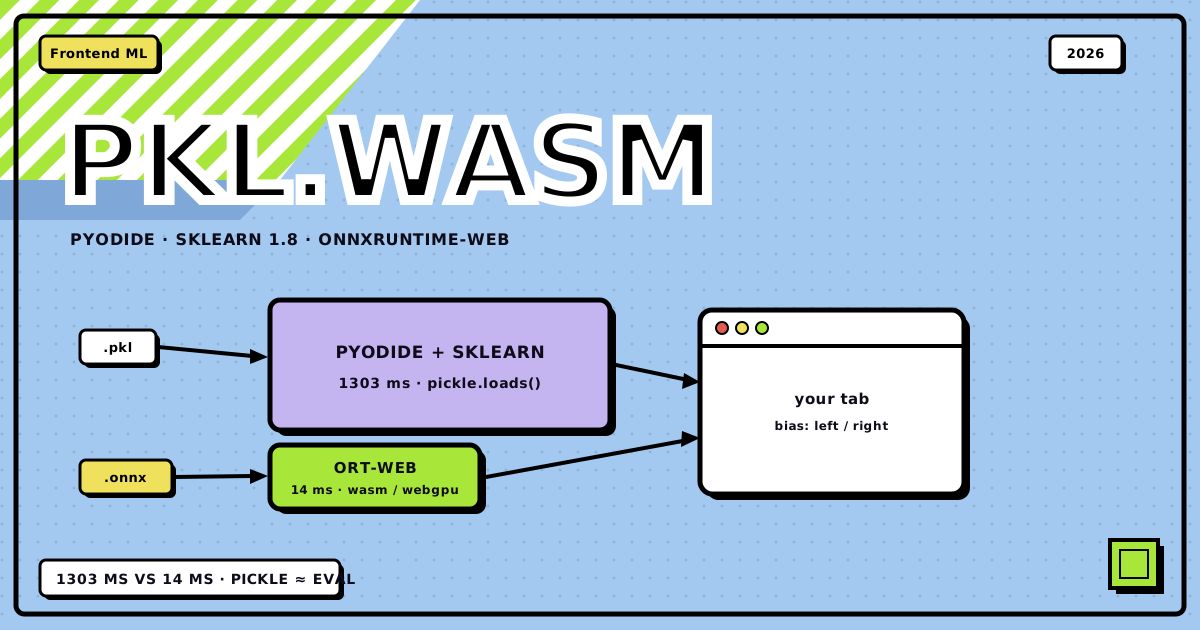
I have this bias-detector.tashif.codes, an XGBoost classifier that reads a headline and calls it left or right biased. It’s been living behind a Flask API, which is fine, except every prediction is a round-trip to a server that can go cold. So I set out to run the model entirely in the browser. There are two real ways to do that: ship CPython to the frontend via Pyodide and unpickle the original model.pkl, or convert the model to ONNX and run it with onnxruntime-web. I did both, deployed both, benchmarked both against each other and against the backend, and one of them nearly bit me with a subtle trap that took forever to find. This is the whole story, with real numbers.
If you just want to poke the results, here they are live, same model, same task, two different pipelines:
- The hub page (with both options, “Client ML” in the navbar): client-ml
- Pyodide + .pkl path: pyodide-classify
- ONNX + onnxruntime-web path: onnx-classify
Both run inference 100% client-side, with no server round-trip after the page loads. Every version number below comes from the Pyodide 314.0.4 lockfile.
the two real answers#
There is no magic “convert .pkl to browser binary” button. What you actually have is two paths:
- Pyodide path. Ship CPython compiled to WebAssembly, install the same packages you trained with,
pickle.loads()the bytes, callmodel.predict()like nothing ever happened. - ONNX path. Convert the estimator (ideally the whole
Pipeline) to a static computation graph once, then run it withonnxruntime-webon WASM or WebGPU.
Path A is aligning environments. Path B is converting formats. That distinction drives every tradeoff below, and it’s exactly where my model tried to kill me.
flowchart TD
    TRAIN["train on the laptop<br/>sklearn Pipeline.fit(...)"]
    PKL["dump --> preprocess.pkl + model.pkl<br/>pinned to the Pyodide stack"]
    ONNX["export --> model.onnx<br/>convert_xgboost / skl2onnx"]

    TRAIN --> PKL
    TRAIN --> ONNX
    PKL -->|"served as a static asset"| PYO
    ONNX -->|"served as a static asset"| ORT

    subgraph browser ["the browser · no server"]
        subgraph pathA ["Path A · heavy"]
            direction TB
            PYO["Pyodide WASM runtime<br/>+ numpy / scipy / sklearn / xgboost / nltk"]
            LOADA["pickle.loads() the artifacts"]
            RUNA["model.predict() — the same Python API"]
            PYO --> LOADA --> RUNA
        end

        subgraph pathB ["Path B · lean"]
            direction TB
            ORT["onnxruntime-web<br/>wasm / webgpu backend"]
            PREB["preprocess + TF-IDF in JS<br/>against an exported vocab / idf table"]
            RUNB["InferenceSession.run()<br/>Float32Array tensors in, scores out"]
            ORT --> PREB --> RUNB
        end
endthe model, in one paragraph#
So we’re not talking about some toy regression. The bias detector is a real pipeline: a custom TextPreprocessor (regex clean → drop NLTK english stopwords → WordNet lemmatize) feeding a TfidfVectorizer with a 66,115-term vocabulary, then an XGBoost classifier. Test accuracy 93.6%, F1 0.907. On the backend it lives as two pickles: preprocess.pkl (1.4 MB, the ColumnTransformer) and model.pkl (166 KB, the XGBClassifier). That custom Python preprocessor is going to be the star of the show, in the worst way.
the version matrix (this is where everyone messes up)#
If you take the Pyodide path, you pin your training environment to whatever your chosen Pyodide release ships. Not the other way around. Numbers below are for Pyodide v314.0.4, so re-check the packages list before you train, because these drift.
| Package | In Pyodide 314.0.4 | Why you care |
|---|---|---|
| CDN runtime | cdn.jsdelivr.net/pyodide/v314.0.4/full/pyodide.js |
Pin the version string; never float @latest in prod |
| scikit-learn | 1.8.0 | Train with this exact version before pickling |
| numpy | 2.4.3 | dtype / array-protocol edge cases if mismatched |
| scipy | 1.18.0 | Half of sklearn pulls scipy |
| joblib | 1.5.3 | joblib dumps are still pickle-protocol under the hood |
| xgboost / lightgbm | 2.1.4 / 4.6.0 | Available as built packages, but still pin train versions |
| nltk | 3.9.4 | Yes, Pyodide ships NLTK; more on that below |
My original preprocess.pkl was created with sklearn 1.5.2. Pyodide ships sklearn 1.8.0, and the load failed with AttributeError: module ‘sklearn.compose._column_transformer’ has no attribute ‘_RemainderColsList’. Not a warning. A hard crash. The usual advice is “pin versions or get InconsistentVersionWarning”; the real failure is “the class literally doesn’t exist in the newer sklearn, your pickle is dead.” Fix: re-dump the artifacts with the exact Pyodide stack (sklearn 1.8.0, xgboost 2.1.4, nltk 3.9.4). Same data, same pipeline, identical 93.6% accuracy, just serialized with versions the browser can load.
path a: pyodide + .pkl#
-
Re-dump aligned with Pyodide
Pin training to the Pyodide release, then re-serialize the pickles so they load clean in the browser:
pip install \
  "scikit-learn==1.8.0" \
  "numpy==2.4.3" \
  "scipy==1.18.0" \
  "joblib==1.5.3" \
  "xgboost==2.1.4" \
  "nltk==3.9.4"

pip freeze > requirements-pyodide-train.txt
Dump with protocol 5, pickle the whole Pipeline, and record the recipe:
import pickle from sklearn.pipeline import Pipeline pipe.fit(X_train, y_train) with open("model.pkl", "wb") as f: pickle.dump(pipe, f, protocol=5) -
Ship the custom preprocessor as an importable module
Here’s the fun part. The pickle doesn’t just store the
TextPreprocessorinstance, it stores the class referencebrowser_preprocess.TextPreprocessor, andpickle.loads()will try toimportthat path on unpickle. In the browser, that module doesn’t exist on Pyodide’ssys.path. The fix: serve the module as a static file, fetch it into Pyodide’s virtual filesystem, add its directory tosys.path, then import, before unpickling.import sys, os from pathlib import Path os.makedirs("/models", exist_ok=True) if not Path("/models/browser_preprocess.py").exists(): Path("/models/browser_preprocess.py").write_text( (await _fetch_bytes("/models/browser_preprocess.py")).decode("utf-8") ) sys.path.insert(0, "/models") import browser_preprocess # now pickle.load() can resolve the classThis is the “custom classes must be importable inside Pyodide” trap from the docs, in the wild. My first deploy failed exactly here with
ModuleNotFoundError: No module named ‘browser_preprocess’. -
Mount the NLTK corpora
The
TextPreprocessorcallsstopwords.words(‘english’)andWordNetLemmatizer()at import/predict time. NLTK needs its corpora, which are not bundled in the wheel. We servewordnet.zip(10 MB) +stopwords.zipas static files, write them into Pyodide’s FS, and pointnltk.data.pathat them:import nltk, os from pathlib import Path os.makedirs("/nltk_data/corpora", exist_ok=True) for name in ["stopwords.zip", "wordnet.zip"]: p = Path("/nltk_data/corpora") / name if not p.exists(): p.write_bytes(await _fetch_bytes("/nltk_data/corpora/" + name)) nltk.data.path.insert(0, "/nltk_data") -
Unpickle and predict
pickle.loads(bytes)both pickles, thenpreprocess.transform()→model.predict(), exactly like the backend does.
The key browser code, which is basically the whole Pyodide path, condensed:
const pyodide = await loadPyodide();                       // CPython in WASM
await pyodide.loadPackage(["scikit-learn", "xgboost", "nltk", "pandas"]);

await pyodide.runPythonAsync(`
import pickle
import pandas as pd
preprocess = pickle.loads(await _fetch_bytes("/models/preprocess.pkl"))
model = pickle.loads(await _fetch_bytes("/models/model.pkl"))
`);

// then per prediction:
const pred = await pyodide.runPythonAsync(`
features = preprocess.transform(pd.DataFrame({"text": [TEXT]}))
int(model.predict(features)[0])
`);
And it works. Cold start boots CPython, installs the scientific stack, mounts WordNet, and unpickles both models in 7–8.5 seconds on my machine, run to run. Then each prediction is a genuinely correct call through the original pipeline. I verified it against the backend’s own predictions on a golden set.
But look at the number. Seven to eight and a half seconds. That’s a Web Worker’s worth of “please wait,” and it’s the honest price of Path A.
If training did StandardScaler → PCA → LogisticRegression and you only pickled the last step, congratulations: you now get to reimplement every transform in JS, and you will ship training–serving skew. Same energy for OneHotEncoder (set handle_unknown at train time), TfidfVectorizer (huge vocab = WASM heap pain), and FunctionTransformer with a lambda (needs cloudpickle, still insecure, ONNX can’t help you either, so rewrite the transform).
the part where I scare you: pickle is eval#
sklearn’s docs say it. Pyodide’s FAQ says it. Python’s docs say it. Loading an untrusted pickle is arbitrary code execution. A malicious .pkl runs Python on unpickle, before predict() is even a thought.
Yes, WASM sandboxes it to the page origin. No, that doesn’t save you. Code running in the page origin can read JS-reachable storage, exfiltrate whatever the user types, mine crypto, or just freeze the tab. And if your model CDN gets compromised, Path A is game over. Rules: only ship models you built, serve them over HTTPS with immutable caching (SRI if you can), never unpickle a user-uploaded .pkl “for convenience,” and if third-party models are a requirement, look at skops.io, or better, take Path B so there’s no pickle surface at all.
path b: ONNX + onnxruntime-web#
ONNX is a static computation graph. You lose the live Python object; you gain a small runtime, version decoupling, no pickle RCE surface, a WebGPU path for heavier things, and a format sklearn itself recommends when all you need is predictions.
the trap that almost broke everything#
This is the part I want you to remember, because it’s a real xgboost footgun I’ve never seen written down anywhere.
My original model was trained on a sparse TF-IDF matrix (that’s what TfidfVectorizer.transform() returns by default). XGBoost treats sparse zeros as missing values. When you run the same booster on a dense array (which is what ONNX needs, since it’s all float tensors), those zeros become real zeros, the missing-value handling kicks in differently, and the model goes from 93.6% accurate to 68.5% accurate. Silent. No error. Just wrong predictions.
The fix, which is also the honest engineering answer: retrain the classifier on dense features for the ONNX export. Same preprocessing, same data, same XGBoost, just fed a .toarray() instead of the sparse matrix. Result:
- Dense-trained test accuracy: 93.4% (vs 93.6% sparse)
- The two models agree on 97.7% of the test set
That 2.3% disagreement is real and it matters. I fed both browser paths the same Trump/tariffs headline and Pyodide said LEFT while ONNX said RIGHT. Both are “correct” for their own training representation; they just diverge on edge cases. If you’re ever showing users “accuracy: X%”, know that the number is tied to which model you actually deployed.
converting it#
Because the custom TextPreprocessor can’t be expressed as ONNX ops, and the TfidfVectorizer’s tokenizer doesn’t convert faithfully either (I measured skl2onnx’s TextVectorizer agreeing with sklearn’s tokenizer only ~65% of the time on predictions), the split is: preprocessing + TF-IDF run in JS, XGBoost runs as the ONNX graph.
pip install skl2onnx onnxruntime onnx onnxmltools
# export the dense-retrained XGBoost booster to ONNX
from onnxmltools import convert_xgboost
from onnxmltools.convert.common.data_types import FloatTensorType

model_onnx = convert_xgboost(
    booster,
    initial_types=[("features", FloatTensorType([None, n_features]))],
    target_opset=15,
)

# dump vocab + idf + norm + lemma table + stopwords for the JS feature builder
with open("model_meta.json", "w") as f:
    json.dump(meta, f)
The JS feature builder reproduces sklearn’s TfidfVectorizer.transform() exactly: same lowercase, same [^a-zA-Z0-9\s-] cleanup, same stopword set, same WordNet lemmatization (via a precomputed word→lemma table so we don’t need NLTK in the browser), same (?u)\b\w\w+\b token pattern, same idf weighting, same L2 norm. I verified the ONNX predictions match sklearn’s dense model on 100% of 300 test samples.
running it in the browser#
npm install onnxruntime-web
import * as ort from "onnxruntime-web";
ort.env.wasm.wasmPaths = "/ort-wasm/"; // serve the WASM runtime yourself

async function runInference(features /* Float32Array, length 66115 */) {
  const session = await ort.InferenceSession.create("/models/model.onnx", {
    executionProviders: ["wasm"],
  });
  const tensor = new ort.Tensor("float32", features, [1, 66115]);
  const results = await session.run({ features: tensor });
  return results.label.data[0]; // 0 = left, 1 = right
}
One operational gotcha: onnxruntime-web wants several WASM variants (.jsep.mjs, .jspi.mjs, asyncify, etc.), and Next.js won’t magically copy them into public/. Copy the whole dist/*.wasm + *.mjs set into public/ort-wasm/ or it’ll 404 on a dynamically-imported module at runtime.
the head-to-head, measured#
Same machine, same browser (Chrome, desktop), same model task. These are real numbers from the live site, measured via performance.now() in the page, in the same tab you can open right now.
| Metric | Pyodide + .pkl | ONNX + ORT Web |
|---|---|---|
| Cold start, assets cached (first load → model ready) | 8,502 ms | 3,925 ms |
| Cold start, nothing cached | ~7,300 ms | ~16,000 ms |
| Warm inference (one prediction) | 1,333 ms | 12 ms |
| Total transfer on first load | ~49 MB | ~17.6 MB |
| Test accuracy | 93.6% | 93.4% |
| Models agree on test set | n/a | 97.7% |
| Pickle RCE surface | Yes | No |
| Version coupling | Train ≡ browser, exactly | Graph self-contained |
The load numbers are the interesting part, and they flip depending on cache state, which is why the table has two rows for them. First run ever: ONNX cold start (~16 s) is worse than Pyodide (~7.3 s), because the 13.5 MB WASM runtime ships from my own origin and has to download and compile, while Pyodide’s whole stack streams from jsDelivr’s CDN. But once the runtime is in the browser cache, ONNX’s load collapses to 3.9 s. Pyodide never gets that win: it sits at 7–8.5 s either way, because ~27 MB of wheels + WordNet still has to be fetched, unpacked and imported on every cold boot. Caching helps it far less than you’d hope.
The inference numbers are the story. 1.3 seconds vs 12 milliseconds. That’s ~100x. Per prediction. If a user scrolls a feed of 50 articles and each one reclassifies as it loads, Pyodide means over a minute of jank while ONNX means 0.6 seconds. And those predictions from Pyodide each run through a full Python interpreter round-trip with the 66k-dim sparse transform on a 1.4 MB pickled ColumnTransformer. It’s doing real work, it’s just heavy.
what the measurements actually say
The received wisdom is real: Pyodide is the “I already have the pkl and it’s a demo” path, ONNX is the “real users will touch this” path. But my numbers add a twist: ONNX’s cold start was worse than Pyodide’s on the very first uncached load (WASM download + compile), so “ONNX loads faster” isn’t automatically true. What IS unambiguously true: ONNX inference is ~100x faster, the asset footprint is ~3x lighter, and there’s no pickle security surface. And the sparse-vs-dense xgboost trap means you must retrain dense for the ONNX path or you silently ship a 68% model.
failure modes, aka how you’ll actually break this#
ship checklist#
Before this goes near users
- Decided the path honestly: Pyodide for demo, ONNX for product
- Recorded the Pyodide tag + package versions used for training
- Re-dumped pickles with the exact Pyodide stack; retrained dense for ONNX
- Golden set: browser predictions match local within tolerance (mine: 100% ONNX-vs-sklearn agreement on 300 samples)
- Model served over HTTPS, CORS correct, immutable cache / SRI if CDN
- Loading UI + error states for both runtime and model fetch
- Mobile memory smoke test with the production model size
- No user-supplied pickle unpickling, anywhere, ever
- If ONNX: verified input/output names + float32 shapes
- Retrain/export recipe documented next to the artifact
what I actually shipped sitewide#
So which one won? ONNX. Not because the benchmark alone said so, but because the site made the decision for me.
Once the client-side classifier left the lab and had to run on the whole news feed, every article on the home page, the search results, and the category pages, the numbers stopped being academic:
- The home page loads 9 articles and needs to badge them as they appear. At 12 ms a prediction, ONNX is done before the next card renders. Pyodide at 1.3 s each would hold the feed hostage.
- ONNX has no pickled Python objects, so the model ships as static assets from the CDN. No runtime to install, no WordNet corpus to mount, no version-matrix ceremony on every deploy.
- Preprocessing in JS means the same feature builder runs everywhere, across feed, search and categories, with one code path, no per-page Python round-trip.
The final architecture is: Next.js serves a lightweight paginated feed, the XGBoost graph runs as ONNX in the browser, and scraping moved to a scheduled GitHub Actions cron. The Flask backend is gone from the request path entirely. Pyodide stays on the site as the pyodide-classify, proof the original .pkl still works, but it’s not what powers the product.
One honest caveat from shipping it for real: the first page of articles races the WASM warm-up. My first cut classified them before the model was ready and every badge came back “unknown” (the exact silent-failure mode this whole post is about). The fix was to render cards instantly with an “ANALYZING…” state and let each card classify in the background with retries once the runtime is warm. It’s a reminder that “it works in a lab” and “it works when a real user’s browser loads the page cold” are different problems.
the honest bottom line#
I shipped the same news-bias model to the browser twice, and both work. You can try them at pyodide-classify and onnx-classify (or start from the client-ml). If it’s a demo and you already have the pkl, Pyodide is genuinely lovely: same API, no conversion, and the cold start is actually decent because the runtime comes from a fast CDN. If real users will run predictions more than a handful of times, or the whole feed at once, ONNX wins by a mile on per-inference cost, asset size, and security, once you’ve survived the sparse-vs-dense retrain trap and moved your preprocessing into JS.
Never unpickle strangers, never float versions, never skip validating the ONNX output against sklearn on a golden set.
if you take the Pyodide path: pin everything, and say a small prayer to the version gods before your first predict.
Discussion
0Leave a comment