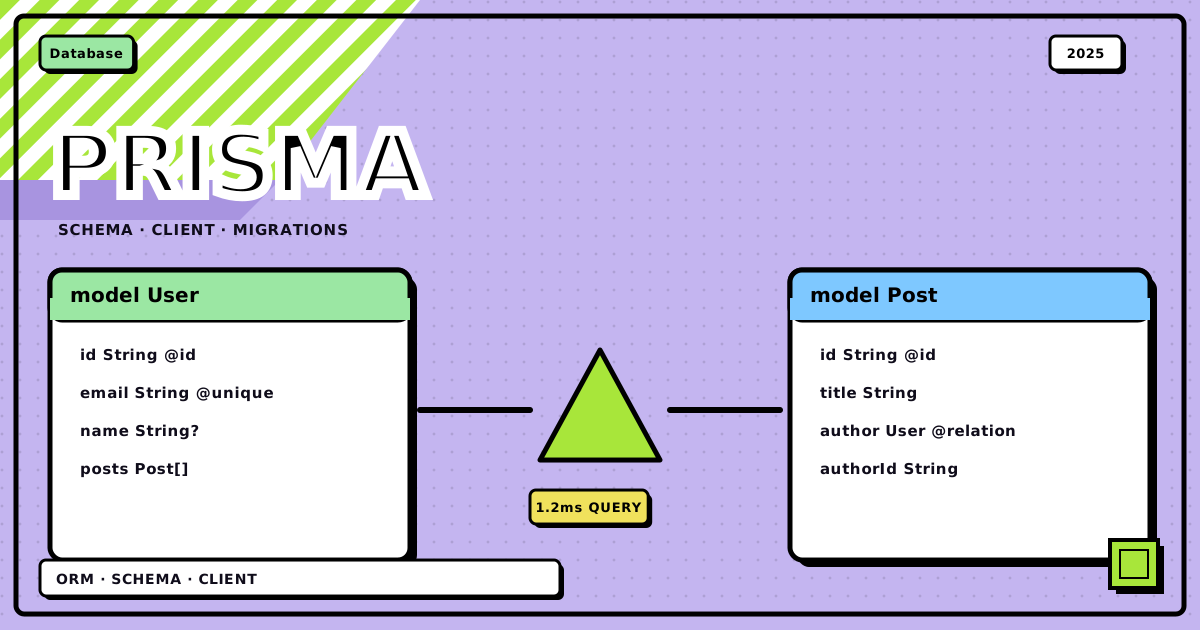
A few of us wanted a tiny shared blog, nothing fancy, just a place to post short write-ups, follow the people whose stuff we liked, sort things into categories, and get a weekly email digest if you opted in. We called it Scraps. I’d been hand-writing the SQL for it for about a week, rewriting the same join four different ways depending on which fields I needed that day, before I finally gave Prisma the real shot I’d been putting off. This post is that whole path: from an empty folder to a working, type-safe data layer, and every place along the way it made me stop and go “wait, why did that just happen.”
Scraps ended up with four models: User, Post, Category, and UserPreference for the digest opt-in. Every schema and code example below comes straight from that project, not invented for this post.
the whole path, in one screen#
Prisma’s whole pitch is that you describe your data once, in one file, and two separate things get generated from it: the SQL that builds your actual tables, and the client your application code calls. Same input, two outputs, and that’s the shape worth holding in your head before any of the specific commands below make sense.
flowchart TD
    SCHEMA["schema.prisma<br/>models, relations, datasource"]
    MIGRATE["npx prisma migrate dev<br/>writes migration.sql"]
    GENERATE["npx prisma generate<br/>builds @prisma/client"]
    DB[("Postgres<br/>tables, indexes, constraints")]
    CLIENT["PrismaClient instance<br/>one per process"]
    QUERY["prisma.post.findMany({ ... })<br/>checked at compile time"]
    SQL["SQL the query engine builds<br/>SELECT ... JOIN ..."]

    SCHEMA --> MIGRATE --> DB
    SCHEMA --> GENERATE --> CLIENT
    CLIENT --> QUERY --> SQL --> DB
DB -->|"rows back"| QUERYEverything past this point is either the left branch, getting schema.prisma right and then migrating it, or the right branch, the client you actually write application code against. I’ll walk both, in the order I actually hit them.
challenge 0: wiring up the project#
Before any of the interesting stuff, Prisma needs a normal Node/TypeScript project to sit inside. Nothing about this part is Prisma-specific, it’s just the scaffolding that has to exist first.
-
npm init
npm init -yJust a
package.jsonto track dependencies and scripts. -
install prisma and the dev tooling
npm install --save-dev prisma typescript ts-node @types/node nodemonprismais the CLI: schema management, migrations, generating the client.typescriptbecause the generated client is fully typed and there’s no reason to fight that with plain JS.ts-noderuns.tsfiles without a separate compile step.nodemonrestarts the script on file changes so you’re not doing that by hand every time you tweak a query. -
tsconfig.json
// tsconfig.json { "compilerOptions": { "sourceMap": true, "outDir": "dist", "strict": true, "lib": ["esnext"], "esModuleInterop": true, "resolveJsonModule": true } }strictis the one that actually matters here: Prisma’s generated types are only as useful as the strictness of the code consuming them. Turn it off and half the point of using Prisma evaporates. -
prisma init
npx prisma init --data-source-provider postgresqlThis creates a
prisma/folder withschema.prismainside it, drops a.envfile for your connection string, and adds.envandnode_modulesto.gitignoreautomatically. Passing--data-source-providerpre-fills the datasource block so you’re not hand-editing the provider name a minute later.
Prisma needs an actual database to connect to, already running, either local or remote. It’s built around SQL databases, Postgres, MySQL, SQLite, SQL Server, with experimental MongoDB support that behaves differently enough that I wouldn’t lean on it for anything relational. Scraps ran on Postgres the whole way through.
challenge 1: schema.prisma is the one file that matters#
schema.prisma is where you define models, relationships, and the database connection, in Prisma’s own declarative language instead of raw SQL. Get this file right and everything downstream, migrations and the client both, follows from it. Get it wrong and you’re fighting it at every step after.
Install the Prisma VS Code extension. It gives you syntax highlighting, autocomplete, validation, and format-on-save, and you can also run npx prisma format from the CLI if you’d rather not wire up the editor integration.
The file splits into a handful of blocks, and the first two are just wiring.
// prisma/schema.prisma
generator client {
  provider = "prisma-client-js"
}

datasource db {
  provider = "postgresql"
  url      = env("DATABASE_URL")
}
The generator block says what to generate from the schema, almost always prisma-client-js, the type-safe query builder your app actually imports. You can define more than one generator if you also want, say, GraphQL types out of the same schema. The datasource block is the connection: which database engine, and the connection string, read from an environment variable so credentials never end up in the repo. There’s exactly one datasource block per project, since a project talks to one database.
# .env
DATABASE_URL="postgresql://postgres:password@localhost:5433/scraps?schema=public"
Swap in your actual user, password, host, port, and database name. One thing that trips people up here: the database itself, scraps in that string, has to already exist. Prisma creates tables and columns inside it, not the database.
challenge 2: modeling data, one field at a time#
Each model block maps to a table, and each field inside it maps to a column. A field has a name, a type, an optional modifier (? for nullable, [] for a list, mostly used for relations), and optional attributes starting with @ for a single field or @@ for the whole model.
The type list is short and most of it is what you’d expect:
| Type | Example | Notes |
|---|---|---|
Int |
age Int |
plain integer |
String |
name String |
text |
Boolean |
isAdmin Boolean |
true/false |
BigInt |
views BigInt? |
for values Int can’t hold |
Float / Decimal |
price Decimal |
Decimal is the one to use for money, Float has precision issues you don’t want near currency |
DateTime |
createdAt DateTime |
date and time together |
Json |
preferences Json? |
support depends on the database, Postgres is fine, SQLite isn’t |
Bytes |
avatar Bytes? |
raw binary, rarely used |
Unsupported |
n/a | a placeholder Prisma generates itself when it introspects a column type it can’t map, you shouldn’t write this by hand |
Attributes are where the actual behavior lives. A handful cover almost everything:
| Attribute | Does what | Example |
|---|---|---|
@id |
marks the primary key, every model needs one | id Int @id |
@default(autoincrement()) |
auto-incrementing integer id | id Int @id @default(autoincrement()) |
@default(uuid()) |
generates a UUID string on create | id String @id @default(uuid()) |
@default(now()) |
sets the current timestamp on create | createdAt DateTime @default(now()) |
@unique |
no two rows can share this value | email String @unique |
@updatedAt |
bumps to the current time on every update | updatedAt DateTime @updatedAt |
And the block-level ones, written on their own line inside the model:
model User {
  id   String @id @default(uuid())
  name String
  age  Int

  @@unique([age, name]) // no two users can share both age AND name
  @@index([name, age])  // speeds up queries filtering or sorting on these together
}
@@unique enforces uniqueness across a combination of fields rather than one. @@index builds a database index, worth adding to anything you filter or sort by often. @@id([field1, field2]) defines a composite primary key across multiple fields, and if you use it you can’t also put a plain @id on any single field, it’s one or the other.
Enums round this out. Scraps used one for post visibility:
enum Role {
  BASIC
  ADMIN
  EDITOR
}

model User {
  id   String @id @default(uuid())
  name String
  role Role   @default(BASIC)
}
Now role can only ever be one of three literal values, checked at the database and the type level both.
challenge 3: relations, and the one that’ll actually confuse you#
This is the part of Prisma that’s genuinely nice to use, and also the part with the sharpest edge if you have more than one relation between the same two models.
One-to-many is the common case: one user writes many posts, each post has exactly one author.
model User {
  id           String @id @default(uuid())
  name         String
  writtenPosts Post[] @relation("WrittenPosts")
  favoritePosts Post[] @relation("FavoritePosts")
}

model Post {
  id            String  @id @default(uuid())
  title         String
  authorId      String
  author        User    @relation("WrittenPosts", fields: [authorId], references: [id])
  favoritedById String?
  favoritedBy   User?   @relation("FavoritePosts", fields: [favoritedById], references: [id])
}
The fields/references pair on @relation links the foreign key on the current model (authorId) to the primary key it points at (id on User). The part that’ll actually get you: the name argument, "WrittenPosts" and "FavoritePosts" here, is required the moment two relations connect the same pair of models. Scraps has users writing posts and users favoriting posts, both are User to Post, and without the name Prisma has no way to know which foreign key on Post corresponds to which array on User. Leave it out in that situation and you get a schema validation error, not a silent bug, but it’ll stop you cold the first time you hit it if you don’t already know the rule.
Many-to-many is the one where Prisma quietly saves you work:
model Post {
  id         String     @id @default(uuid())
  title      String
  categories Category[]
}

model Category {
  id    String @id @default(uuid())
  name  String
  posts Post[]
}
No join table anywhere in this schema. Prisma creates and manages the pivot table itself, so you never write or query it directly, you just work with post.categories and category.posts like they’re plain arrays.
One-to-one is where the digest preference lives:
model User {
  id             String           @id @default(uuid())
  name           String
  userPreference UserPreference?
}

model UserPreference {
  id           String  @id @default(uuid())
  emailUpdates Boolean
  userId       String  @unique
  user         User    @relation(fields: [userId], references: [id])
}
The @unique on userId is the actual constraint enforcing one-to-one, not the optional ? on the User side. Drop the @unique and you’ve silently got a one-to-many where one user could have several preference rows, which defeats the entire point of the model.
challenge 4: migrations turn the blueprint into tables#
schema.prisma on its own is just a description. Nothing exists in the database until you run a migration.
npx prisma migrate dev --name init_schema
migrate dev diffs your schema against the database, writes the SQL needed to close that gap into prisma/migrations/<timestamp>_init_schema/migration.sql, and applies it. The name you give it, init_schema, add_categories, whatever, is what shows up when you’re scanning migration history later, so make it describe the actual change. After the SQL runs, Prisma also regenerates the client, so your types stay in sync with whatever the schema now looks like.
If a schema change would truncate or drop existing data, say, narrowing a column’s type, or adding a required field to a table that already has rows and no default for it, migrate dev will flag it and ask for confirmation rather than silently applying it. That’s a real safety net in development. It’s also not a substitute for actually reading the generated SQL before you run a migration against production data, since the tool can only warn about changes it recognizes as lossy.
challenge 5: the client, and the one-instance rule#
Prisma Client is the generated, type-safe layer your application code actually calls. It’s built directly from your schema, so its methods and return types match your models exactly, no manual mapping.
npm install @prisma/client
migrate dev regenerates the client automatically. If you change the schema without running a migration, say a field’s optionality shifted in a way that doesn’t need a database change, npx prisma generate regenerates it manually.
// script.ts
import { PrismaClient } from "@prisma/client";

const prisma = new PrismaClient();

async function main() {
	// database calls go here
}

main()
	.catch((e) => console.error(e))
	.finally(async () => {
		await prisma.$disconnect();
	});
The one rule that actually matters: use a single PrismaClient instance per process. Each instance manages its own connection pool, and instantiating a new one per request is the fastest way to exhaust your database’s connection limit. Everything is async, so async/await is the natural way to write this, and disconnecting on shutdown is good hygiene even though Node usually cleans it up on exit anyway.
challenge 6: writing data, and the include/select trap#
prisma.model.create() inserts one record. This is where nested writes show up, which is one of the actually good parts of Prisma:
const user = await prisma.user.create({
	data: {
		name: "Kyle",
		email: "[email protected]",
		age: 27,
		userPreference: {
			create: { emailUpdates: true },
		},
	},
	include: {
		userPreference: true,
	},
});
create inside a relation writes a brand new related record in the same call. connect does the equivalent for linking to a record that already exists, by its unique identifier. Both save you a second round trip.
The trap is include versus select. include fetches the record plus every field of the specified relations. select picks exactly the fields you want, from the model and its relations both, which is worth doing once a query is on a hot path and you don’t need the whole row. You can use one or the other, never both in the same query, and Prisma throws if you try. I hit this the first week, copied an example that had both, and got a validation error before I even understood why they’d conflict.
For bulk inserts, createMany is the one to reach for:
const users = await prisma.user.createMany({
	data: [
		{ name: "Sally", email: "[email protected]", age: 32 },
		{ name: "Sally", email: "[email protected]", age: 13 },
		{ name: "Sally", email: "[email protected]", age: 12 },
	],
	// skipDuplicates: true
});
It returns { count: 3 }, not the created rows, and it doesn’t support include or select at all. That’s a deliberate tradeoff for bulk-insert performance, if you need the created records back with their relations, do individual create calls or a follow-up findMany.
challenge 7: reading data#
Three methods cover almost everything, and picking the right one matters more than it looks like it should.
findUnique fetches by a genuinely unique field, the primary key, or anything marked @unique or @@unique:
const userByEmail = await prisma.user.findUnique({
	where: { email: "[email protected]" },
	include: { userPreference: true },
});

// composite unique keys are queried as an object, joined with an underscore
const userByAgeName = await prisma.user.findUnique({
	where: { age_name: { age: 27, name: "Kyle" } },
});
It returns null if nothing matches, and throws if the field somehow isn’t actually unique in the data. findFirst is the one for “any single match, doesn’t need to be unique”:
const firstSally = await prisma.user.findFirst({
	where: { name: "Sally" },
	orderBy: { age: "asc" }, // the youngest Sally
});
findMany is the workhorse, and where where earns its keep:
const paginatedSallys = await prisma.user.findMany({
	where: { name: "Sally" },
	orderBy: { age: "desc" },
	take: 2,
	skip: 1,
	distinct: ["name", "age"],
});
The where clause supports the operators you’d expect. equals, not, in, notIn for exact matching, lt/lte/gt/gte for numbers and dates, contains/startsWith/endsWith for strings (case-sensitive unless you pass mode: "insensitive"), and OR/AND/NOT for combining conditions.
Relation filtering is the part that’s genuinely nice. From the one side:
const usersWithEmailUpdates = await prisma.user.findMany({
	where: { userPreference: { emailUpdates: true } },
	include: { userPreference: true },
});
From the many side, some, every, and none mean exactly what they sound like:
const usersWithSomePosts = await prisma.user.findMany({
	where: {
		writtenPosts: { some: { title: { contains: "My First" } } },
	},
	include: { writtenPosts: true },
});
And you can filter the many side by an attribute of the one side too, going the other direction:
const postsByAuthorAge = await prisma.post.findMany({
	where: { author: { is: { age: { gt: 25 } } } },
	include: { author: true },
});
challenge 8: updating and deleting#
update() and delete() both require a unique where, exactly like findUnique, for the same reason: Prisma needs to be certain it’s touching exactly one row.
const updatedUser = await prisma.user.update({
	where: { email: "[email protected]" },
	data: {
		email: "[email protected]",
		age: { increment: 1 }, // also: decrement, multiply, divide
		userPreference: {
			update: { emailUpdates: false },
		},
	},
	include: { userPreference: true },
});
The numeric operators (increment, decrement, multiply, divide) are atomic at the database level, worth using over a manual read-then-write whenever you’re bumping a counter.
Deleting a nonexistent record doesn’t fail quietly:
try {
	await prisma.user.delete({ where: { email: "[email protected]" } });
} catch (e: any) {
	if (e.code === "P2025") {
		console.warn("tried to delete a user that doesn't exist");
	} else {
		throw e;
	}
}
P2025 is Prisma’s “record not found” error code, and it’s worth wrapping deletes in a try/catch for exactly this if there’s any chance the row’s already gone.
updateMany and deleteMany are the batch versions, and like createMany, they don’t take include or select, they just return a count:
await prisma.user.updateMany({
	where: { name: "Sally" },
	data: { name: "New Sally" },
}); // { count: 3 }

await prisma.user.deleteMany({
	where: { age: { gt: 20 } },
}); // { count: 1 }
Passing an empty where: {} to deleteMany wipes the whole table, so that’s not a line you want to run by accident.
challenge 9: pagination, and the gotcha that only shows up later#
findMany paginates with two arguments.
take
How many records to fetch. Same idea as LIMIT in SQL.
skip
How many records to bypass before counting the ones to take. Same idea as OFFSET.
async function fetchPaginatedUsers() {
	const pageNumber = 2;
	const pageSize = 10;
	const skipAmount = (pageNumber - 1) * pageSize;

	const users = await prisma.user.findMany({
		take: pageSize,
		skip: skipAmount,
		orderBy: { name: "asc" },
	});

	const totalUserCount = await prisma.user.count();
	const totalPages = Math.ceil(totalUserCount / pageSize);

	console.log(`fetched page ${pageNumber} of ${totalPages}`);
	return users;
}
Page 2 at size 10 skips 10 and takes the next 10, records 11 through 20. The gotcha is the orderBy, and it’s easy to skip because everything works fine locally without it. Without a stable sort, the database is free to return rows in whatever order is convenient for it, which usually looks stable while your table is small and static. Add enough writes, or run it against a table under real load, and pages start showing duplicate rows or skipping ones entirely between requests, because “page 2” is only a meaningful concept relative to a fixed order. I didn’t hit this until Scraps had a couple hundred posts in it, and by then it took a minute to figure out why the feed kept repeating itself.
challenge 10: seeing the actual SQL#
Once queries got nested a few levels deep, I wanted to see what Prisma was actually sending, not guess.
const prisma = new PrismaClient({
	log: ["query"], // add 'info', 'warn', 'error' for more
});
With log: ["query"] on, every query Prisma runs prints its SQL to the console. It’s useful for three different reasons at once: checking a query is shaped the way you think it is, spotting one that needs an index, and just building an intuition for how your high-level .findMany() calls turn into actual SELECTs and JOINs. I left this on for most of building Scraps and it caught more than one query I’d written wrong.
the gotcha ladder#
things that will actually get you
-
includeandselectare mutually exclusive, pick one per query - name relations with
@relation("Name", ...)the moment two relations connect the same pair of models - one-to-one is enforced by
@uniqueon the foreign key, not by the?on the other side -
migrate devwarns before lossy changes, but read the generated SQL yourself before running it against real data -
createMany,updateMany, anddeleteManyreturn a count, not records, and none of them takeincludeorselect -
update()anddelete()need a uniquewhere, and delete throwsP2025on a missing record - always set
orderByon a paginatedfindMany, or pages will drift once the table has real writes - one
PrismaClientinstance per process, not one per request - turn on
log: ["query"]in development, it’s the fastest way to catch a query doing more than you meant it to
Bottom line. Prisma’s actual value is that schema.prisma stays the single source of truth end to end: the migration SQL and the client types both come from the same file, so they can’t drift apart the way hand-rolled SQL and a hand-rolled types file eventually do. The tradeoffs that’ll actually bite you aren’t exotic, they’re the mutual exclusivity of include and select, remembering to name a relation the moment there are two between the same models, and setting orderBy on anything paginated before your table has enough rows to expose the gap. None of these show up in a five-minute demo. All of them show up the first time your data outgrows the demo.
if you’re starting a project with Prisma today, read the relation-naming rule twice before you need it, it’ll save you a confusing ten minutes later.
Discussion
0Leave a comment