I was working on one of my scraper projects and wanted to sanity-check a single fetcher module without booting the whole FastAPI app. Obvious move, right, just run the file directly: python fetchers/tanishq_fetcher.py. Python’s response was ImportError: attempted relative import with no known parent package, which, at the time, meant nothing to me. The module imported fine everywhere else. Just not like this. Turns out the error was correct and I was the one who didn’t understand what “running a file” actually does to Python’s notion of packages.
The import system has a reputation for being confusing, and it kind of is, until you see the one distinction that explains almost every error people hit: a file you run directly is not the same thing as a file that gets imported, even if it’s the exact same file.
flowchart TD
    RUN["how was this file started?"] -->|"python path/to/file.py"| ASMAIN["file becomes __main__<br/>no parent package"]
    RUN -->|"python -m package.module"| ASPKG["file runs inside its package<br/>relative imports resolve"]
    RUN -->|"imported by other code"| ASIMP["normal case<br/>relative imports resolve"]

    ASMAIN --> FAIL["from .sibling import x<br/>ImportError: no known parent package"]

    IMPORT["import statement fires"] --> SEARCH["Python walks sys.path in order"]
    SEARCH --> S1["built-ins: os, sys, ..."]
    SEARCH --> S2["directory holding the running script"]
    SEARCH --> S3["PYTHONPATH entries"]
SEARCH --> S4["site-packages, installed libs"]the error, explained properly#
Here’s the thing that finally made it click. When you run python fetchers/tanishq_fetcher.py, that file doesn’t become “a module inside the fetchers package that I happen to be executing.” It becomes __main__. That’s its whole identity as far as the import system is concerned, a top-level script with no parent, no package, nothing above it. A relative import like from .helpers import clean_price says “go one level up from my package and grab this,” but __main__ has no package to go up from. The error isn’t Python being fussy, it’s Python telling you the truth: there is no parent here to reference.
Importing the same file from somewhere else is a completely different story, because then it’s not __main__, it’s fetchers.tanishq_fetcher, sitting exactly where it expects to be, parent package and all.
python fetchers/tanishq_fetcher.py
# ImportError: attempted relative import with no known parent package
Two fixes. Run the actual entry point instead, the one that imports this module rather than executing it directly. Or use python -m fetchers.tanishq_fetcher from the project root, which tells Python to load the file as part of its package instead of as a bare script.
project layout, since it’s what the whole error depends on#
None of this makes sense without a shape to point at, so here’s the layout I’ll use for the rest of this:
my_project/
├── __init__.py          # makes my_project a package
├── main.py               # entry point
├── requirements.txt
├── package_a/
│   ├── __init__.py
│   ├── module_a1.py
│   └── module_a2.py
└── package_b/
    ├── __init__.py
    ├── module_b1.py
    └── subpackage_c/
        ├── __init__.py
        └── module_c1.py
That __init__.py sitting in every directory is what tells Python “this is a package, not just a folder that happens to hold .py files.” It can be empty, and often is, but it’s also a legitimate place to re-export things:
# my_project/package_a/__init__.py
from .module_a1 import greet_a1
from .module_a2 import extended_greet

VERSION = "1.0.0"
__all__ = ['greet_a1', 'extended_greet', 'VERSION']
Now from package_a import greet_a1 works, instead of the longer package_a.module_a1.greet_a1. Small thing, but it’s the difference between a package with a clean public surface and one where callers have to know your internal file layout.
how python actually finds anything#
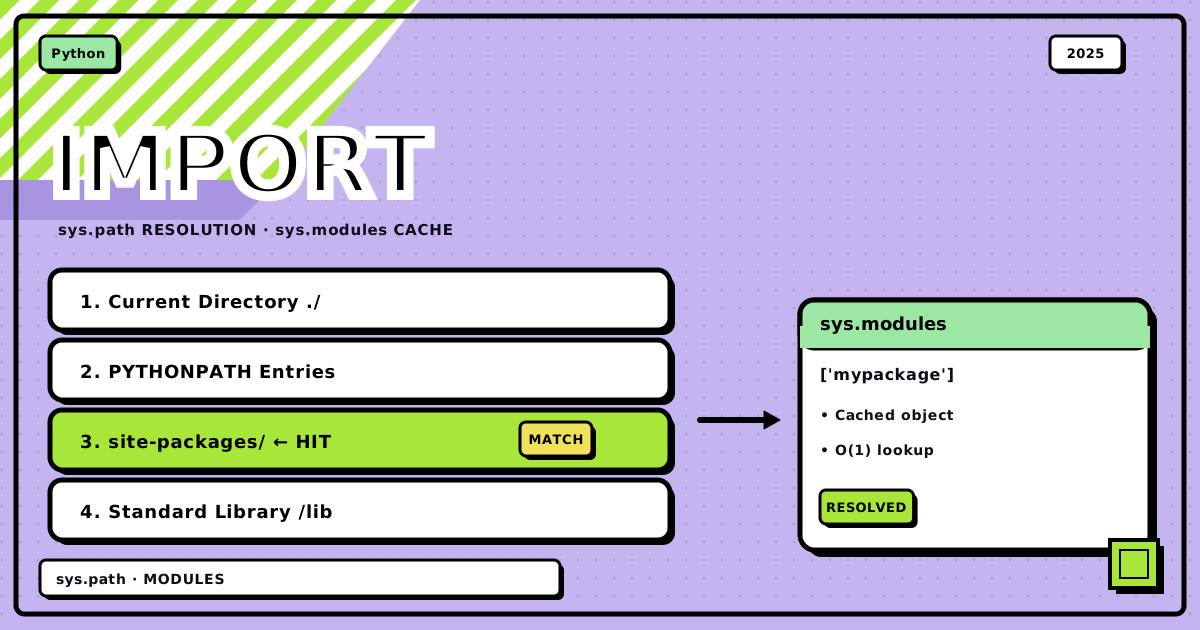
When you write import something, Python checks a fixed order of places, and sys.path is the whole list:
import sys
print(sys.path)
Built-in modules first (os, sys, the interpreter’s own stuff), then the directory holding whatever script you ran, then PYTHONPATH if you’ve set it, then the standard library, then site-packages for anything installed with pip. That second entry, the running script’s directory, is exactly why __main__ gets special treatment: Python adds that one directory automatically, it doesn’t know or care that fetchers/ is supposed to be a package too.
absolute imports: the one you want in entry points#
Absolute imports spell out the full path from the project root:
# my_project/main.py
from package_a import module_a1
from package_b import module_b1

def run():
    module_a1.greet_a1()
    module_b1.perform_task()

if __name__ == "__main__":
    run()
From above my_project
python my_project/main.py
From inside my_project
python main.py
I default to absolute imports basically everywhere now, because they don’t lie to you. from package_a import module_a1 means exactly what it says, no counting dots, and renaming a parent directory doesn’t quietly break every import three files deep. The one place they don’t help is inside a package that might get renamed or moved as a unit, which is what relative imports are actually for.
relative imports: for staying inside your own package#
Relative imports use dots the way Unix paths use them: . is the current package, .. is the parent, ... the grandparent, and so on. They only make sense between siblings inside the same package.
# my_project/package_a/module_a2.py
from .module_a1 import greet_a1, HelperClass
# my_project/package_b/module_b1.py
from .subpackage_c.module_c1 import perform_subtask
# my_project/package_b/subpackage_c/module_c1.py
from ..module_b1 import perform_task
# calling perform_task() here would create a circular import, don't
The payoff is that if you ever rename package_a to something else, none of the imports inside it need to change, they’re relative to wherever the package ends up. That’s a real benefit. It’s also exactly why they blow up the moment you try to run one of those files directly, they were never written to stand alone.
the -m flag, for when you do need to run something inside a package#
If you actually need to execute a module that lives inside a package, and it uses relative imports, don’t run it as a bare script. Run it as a module:
# from the project root
python -m my_project.package_a.module_a2
This is the fix for my original problem, by the way. python -m fetchers.tanishq_fetcher from the repo root runs the exact same code, except now Python knows it’s fetchers.tanishq_fetcher, not some orphaned __main__, so every relative import inside it resolves the way it’s supposed to.
modules are objects, which is the part nobody tells you upfront#
Here’s a detail that reframes the whole system once it lands: a module isn’t a special language construct, it’s an object, the same way an instance of a class is an object.
import my_module
print(type(my_module))          # <class 'module'>
print(sys.modules['my_module']) # the same object
import does four things: search sys.path for the file, create a module object, execute the file’s code inside that object’s namespace, then cache the result in sys.modules. That cache is why importing the same module twice doesn’t re-run its top-level code twice, and why math is math2 is True even after two separate import math / import math as math2 lines, you got the same cached object both times. Compare that to a class, where every MyClass() call makes a genuinely new object. A module is closer to a singleton than to a blueprint.
Packages get the same treatment, import package_a finds package_a/__init__.py, builds a module object, runs the init file inside it, and caches it under sys.modules['package_a']. So from package_a import module_a1; module_a1.greet_a1() is doing attribute access on a module object, structurally the same thing as calling a method on a class instance.
a real-ish layout, and where each import type shows up#
blog_project/
├── main.py
├── config.py
├── models/
│   ├── __init__.py
│   ├── user.py
│   └── post.py
├── database/
│   ├── __init__.py
│   └── connection.py
├── api/
│   ├── __init__.py
│   ├── routes.py
│   └── middleware.py
└── utils/
    ├── __init__.py
    ├── validators.py
    └── helpers.py
# main.py, absolute imports, this is the entry point
from config import DATABASE_URL
from database.connection import init_db
from api.routes import setup_routes
from models import User, Post

def main():
    init_db(DATABASE_URL)
    app = setup_routes()
    app.run()

if __name__ == "__main__":
    main()
# models/post.py, relative import, staying inside the models package
from .user import User

class Post:
    def __init__(self, author: User, content: str):
        self.author = author
        self.content = content
# api/routes.py, both kinds in one file, which is normal
from models import User, Post          # absolute, crossing packages
from utils.validators import validate_email
from .middleware import auth_required  # relative, same package
That last file is the pattern I actually reach for: absolute for anything crossing a package boundary, relative for a strict sibling in the same directory. Mixing them isn’t a code smell, it’s just being specific about distance.
troubleshooting, the three you’ll actually hit#
“No module named X.” Almost always one of: you’re running from the wrong directory, an __init__.py is missing somewhere in the chain, or you’ve got a typo in the path. Check those three before you touch sys.path.
“Attempted relative import with no known parent package.” You ran a file with relative imports directly as a script. Run the entry point instead, or use python -m package.module.
Circular imports, module A imports B, B imports A. The real fix is restructuring so the dependency only flows one direction, but the quick patches are moving one of the imports inside a function so it only resolves at call time, or using a quoted type hint as a forward reference if it’s only needed for typing.
the ladder#
- Absolute imports for entry points, test files, and anything crossing a package boundary. Default to this.
- Relative imports for a module talking to its own siblings inside the same package, where you actually want the package to be renameable as a unit.
__init__.pyin every package directory, even empty, it’s what makes the directory a package at all.python -m package.moduleany time you need to execute something that lives inside a package and uses relative imports.- Never manipulate
sys.pathby hand unless you’ve exhausted the other four. It’s a code smell every time I’ve reached for it.
Bottom line: the whole import system makes sense once you stop thinking of “running a file” and “importing a file” as the same operation, they’re not, one gives the file a parent package and one doesn’t. Use absolute imports for anything that crosses a package boundary or is an entry point, relative imports for strict siblings, and python -m when you need to execute something inside a package directly. The error that started this whole post was never wrong, I just hadn’t learned to read it yet.
next time -m fixes an import error you don’t understand, that’s your cue to go find out why, not just move on.
Discussion
0Leave a comment