BlogOS – A Themed Blog Website
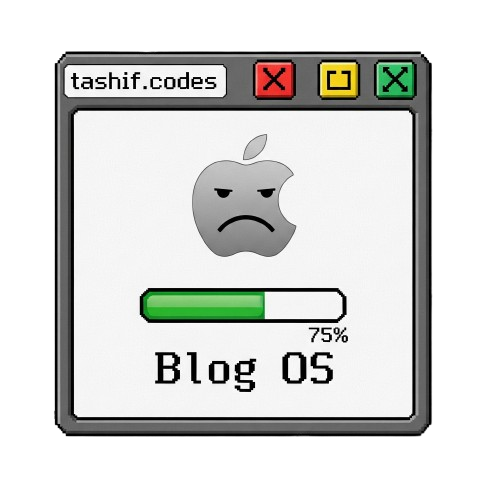
BlogOS is a retro-inspired, multi-theme blog platform built with Astro, React, TailwindCSS, and Framer Motion.
It mimics the look and feel of classic operating systems (Mac OS, Windows 95/XP, Ubuntu, NeoBrutalism, etc.) while providing a modern, responsive, and animated blogging experience.
Tech Stack#







Features#
Multiple Built-in Themes:
- Mac Classic (System 8/9)
- Mac OS X Aqua
- Modern macOS
- Dark Mode macOS
- Windows 95
- Windows XP
- Ubuntu
- NeoBrutalism
- Liquid Glass (both light & dark)
OS-like UI Components:
- Menu bar with dropdown menus
- Windowed content areas with controls
- Status bar with social icons
Optimised Mobile Layout
Reader Options
Dynamic Likes, Comments and Views
Getting Started#
1. Clone the Repository#
git clone https://github.com/yourusername/blogos.git
cd blogos
2. Install Dependencies#
npm install
# or
yarn install
# or
pnpm install
3. Run the Development Server#
npm run dev
Visit http://localhost:4321 in your browser.
4. Build for Production#
npm run build
Preview the production build:
npm run preview
Writing Blog Posts#
- Create a new
.mdxfile in theblogs/directory. - Add frontmatter at the top:
---
title: "My First Blog Post"
date: "2025-08-09"
excerpt: "A short description of my post."
tags: ["Astro", "React", "TailwindCSS"]
---

## Hello World

This is my first post in **BlogOS**!
- The post will automatically appear in the blog list and search results.
Private web editor#
The authenticated React editor is a separate TanStack Start application under
editor/. It owns the GitHub publishing API routes and is deployed
independently from the public blog and FastAPI server. See
editor/README.md for local setup, credentials, and the
atomic Markdown/image commit flow.
Customizing Themes#
Themes are defined in src/lib/theme-config.ts.
To change the default theme:
export let activeTheme: ThemeConfig = macClassicTheme; // Change to your preferred theme
To add a new theme:
export const myTheme: ThemeConfig = {
  name: "myTheme",
  backgroundColor: "#fff",
  borderColor: "#000",
  textColor: "#000",
  accentColor: "#ff0000",
  // ... other properties
};

export const allThemes = {
  ...,
  myTheme
};
API Routes#
/api/posts.json– Returns all blog posts with metadata (used for search & recent posts)./api/like/[slug]/api/view/[slug]/api/comment/[slug]- addes it in a form of a graph
Roadmap#
- Add drag-and-drop window positioning
- Add projects and all
- Add Leetcode Problems solved
- Add more OS-inspired themes (e.g., Windows 7, macOS 26)
- Add post categories & filtering
- Add RSS feed support
- Likes and Views
- Add comment system
Contributing#
- Fork the repo
- Create a new branch (
feature/my-feature) - Commit your changes
- Push to your branch
- Open a Pull Request
License#
This project is licensed under the GPL 3 – feel free to use and modify it.