



 Catppuccin for Jellyfin


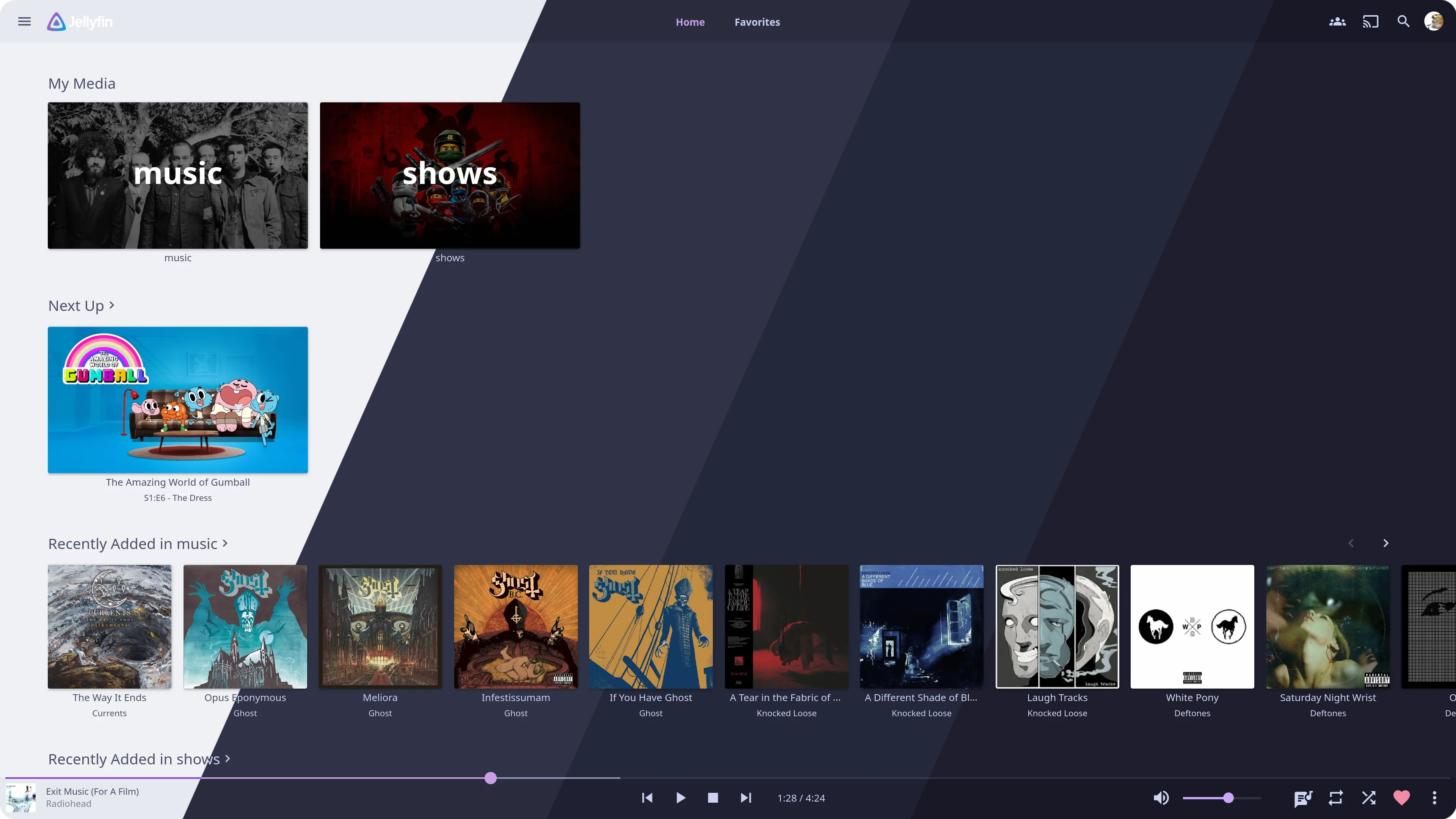
Previews#
🌻 Latte
<img src="/assets/latte.webp"/>
🪴 Frappé
<img src="/assets/frappe.webp"/>
🌺 Macchiato
<img src="/assets/macchiato.webp"/>
🌿 Mocha
<img src="/assets/mocha.webp"/>
Usage#
- Copy the theme import rule:
@import url('https://jellyfin.catppuccin.com/theme.css'); - Open settings, navigate to Display and paste the CSS into the section called “Custom CSS code”
- Copy your preferred flavor’s import rule and paste it after the theme import:
/* 🌻 Latte */ @import url('https://jellyfin.catppuccin.com/catppuccin-latte.css'); /* 🪴 Frappé */ @import url('https://jellyfin.catppuccin.com/catppuccin-frappe.css'); /* 🌺 Macchiato */ @import url('https://jellyfin.catppuccin.com/catppuccin-macchiato.css'); /* 🌿 Mocha */ @import url('https://jellyfin.catppuccin.com/catppuccin-mocha.css'); - For Jellyfin v12.0 and above, select the “TV” or one of the “Legacy” display modes
- Press save and you’re done!
Customization#
The accent color can be overridden by adding the following after the imports:
:root {
    --main-color: var(--sapphire);
}
Creating your own theme#
All colors can be easily changed by overriding these CSS variables.
Hall of Fame
<p>These amazing themes all base off of Catppuccin:</p>
<table>
    <tr>
        <th><a href="https://github.com/everviolet/jellyfin">evergarden</a></th>
    </tr>
    <tr>
        <td><a href="https://github.com/everviolet/jellyfin"><img src="https://github.com/everviolet/jellyfin/raw/main/assets/preview.webp" alt="evergarten preview"/></a></td>
    </tr>
</table>
💝 Thanks to#

Copyright © 2021-present Catppuccin Org
