Jellyfin Netflix theme#
A CSS theme that makes the Jellyfin web client look like Netflix. It’s a single file you load through Branding, so nothing on the server changes.
I built it for my own server and tested it on Jellyfin 12.3 in Firefox and Chromium, on desktop and phone sizes.
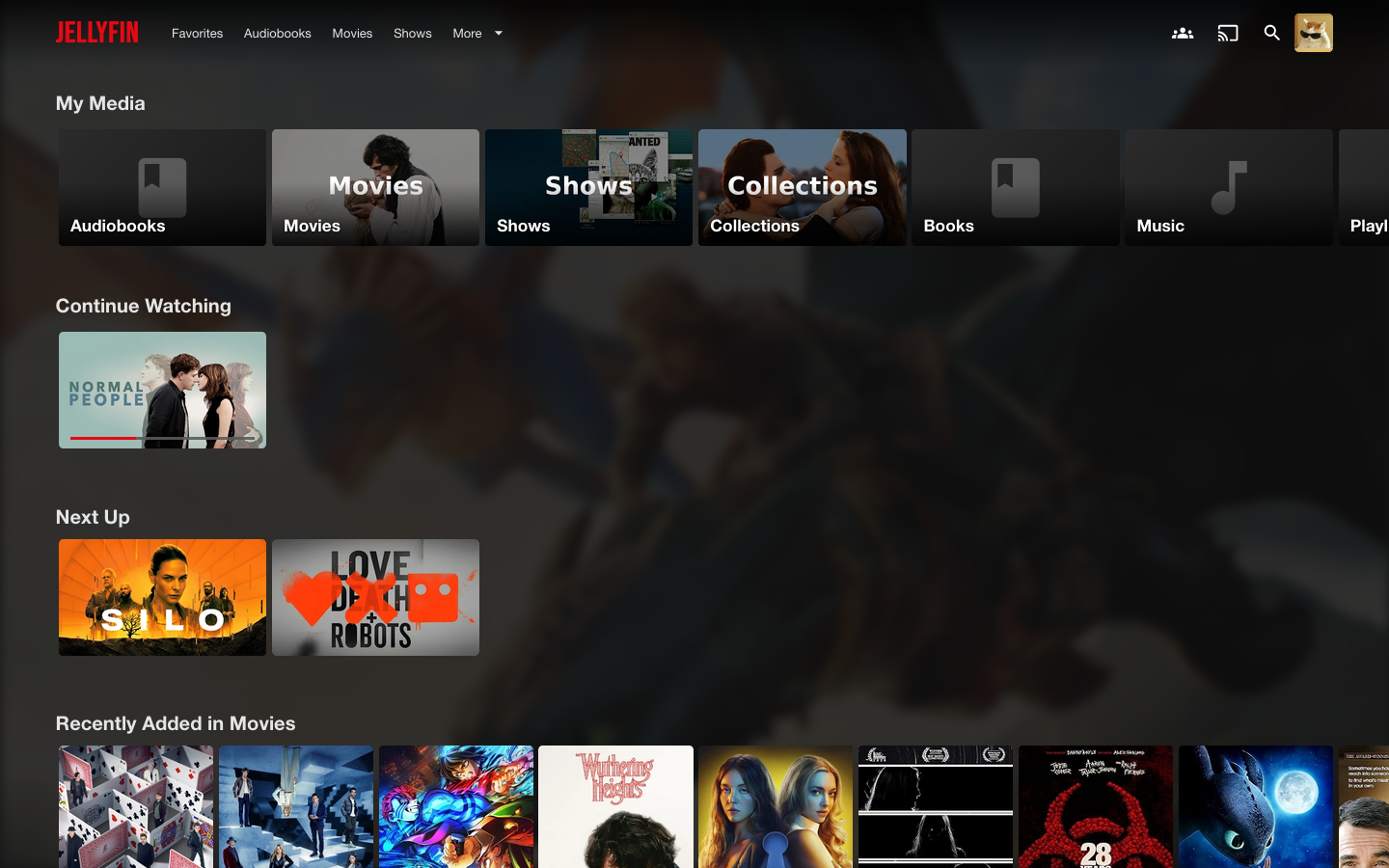
What it changes#
- A black header that fades into the page, with JELLYFIN in red at the top left in place of the logo and server name.
- Home rows of 16:9 thumbnails that run edge to edge and grow on hover.
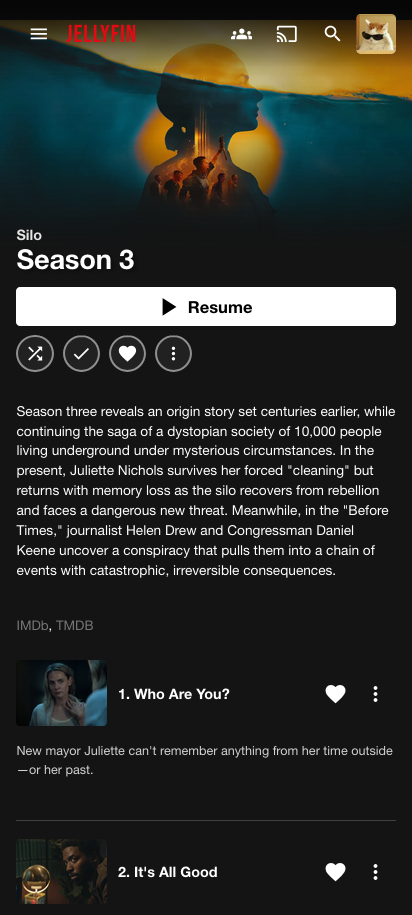
- Title pages with a full-width backdrop, the title logo when there is one, a white Play button and round icon buttons.
- Episode lists with thumbnails, numbers and run times.
- A red progress bar and volume slider in the player.
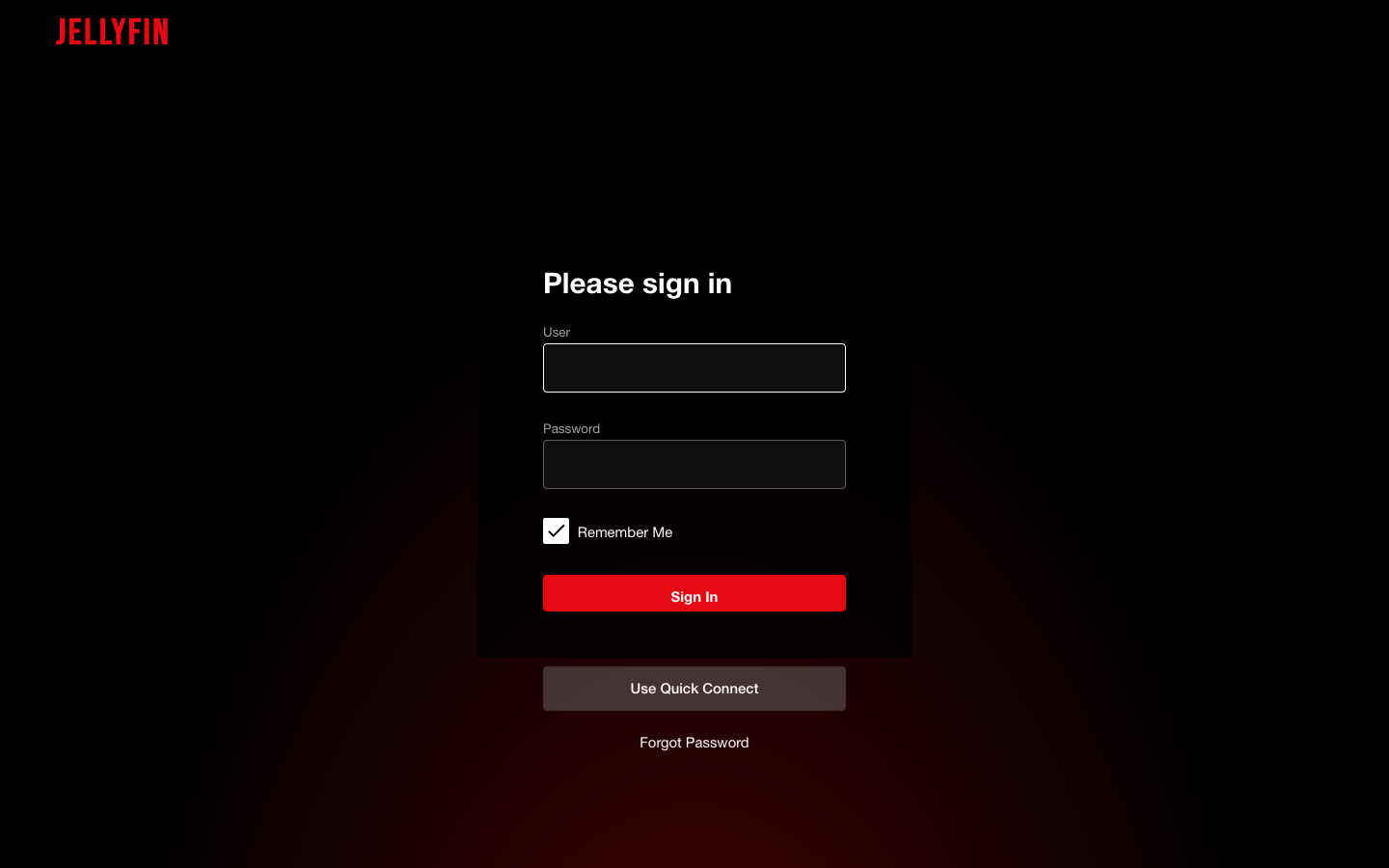
- A sign in page on black with a dark form, like the Netflix one.
- A phone layout with the backdrop on top, then a left-aligned title, a full-width Play button and the round buttons.
Install#
Open Dashboard > General > Branding. Paste this into Custom CSS code and save:
@import url('https://cdn.jsdelivr.net/gh/tashifkhan/jellyfin-netflix-theme@main/netflix.css');
Reload the page. If you see the old look, do a hard refresh, since browsers hold on to Branding CSS.
For the big backdrop on title pages, turn on Backdrops under Settings > Display. Jellyfin keeps that setting per browser and it starts off. Without it the title pages still work, just without the picture at the top.
Screenshots#
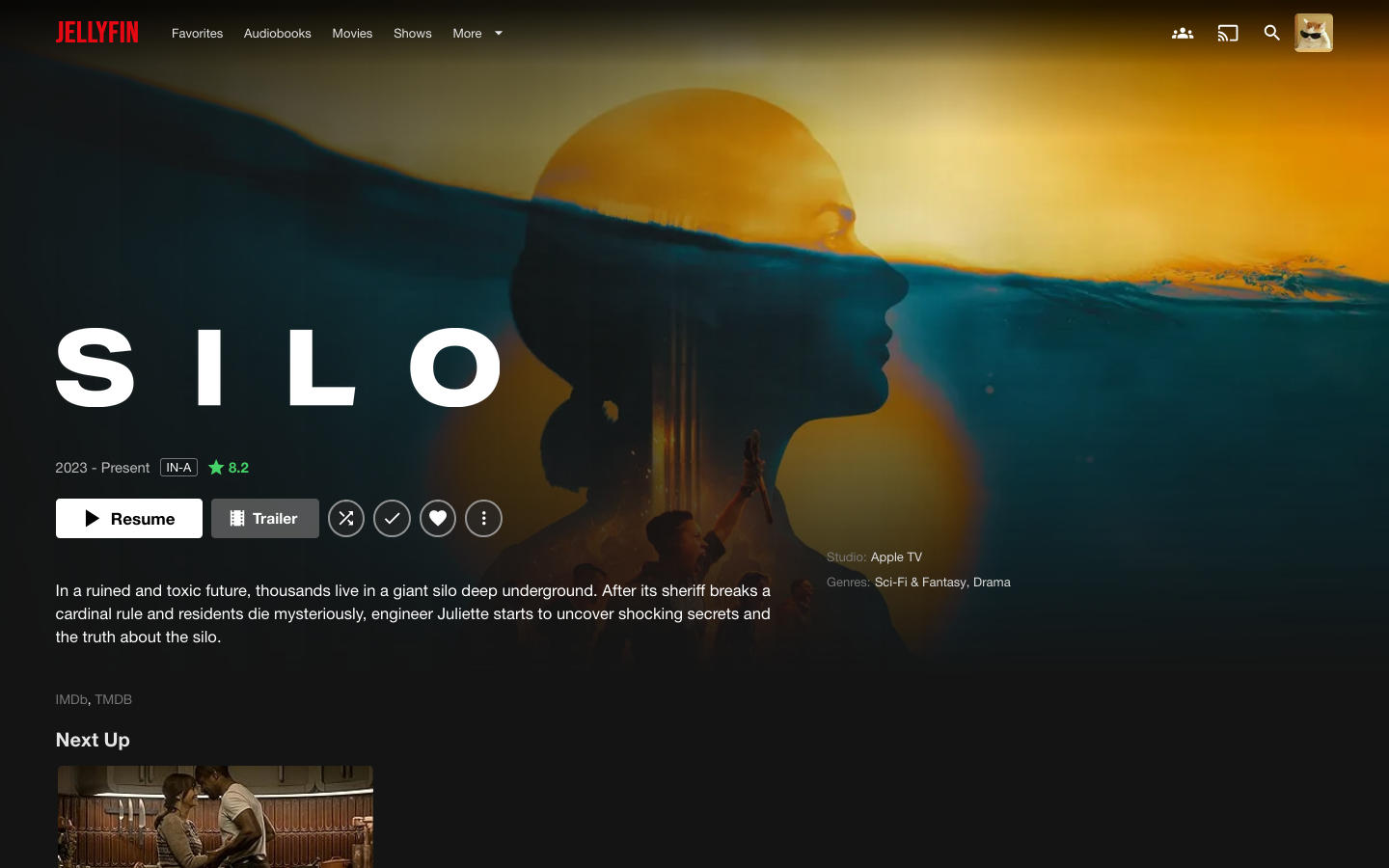 |
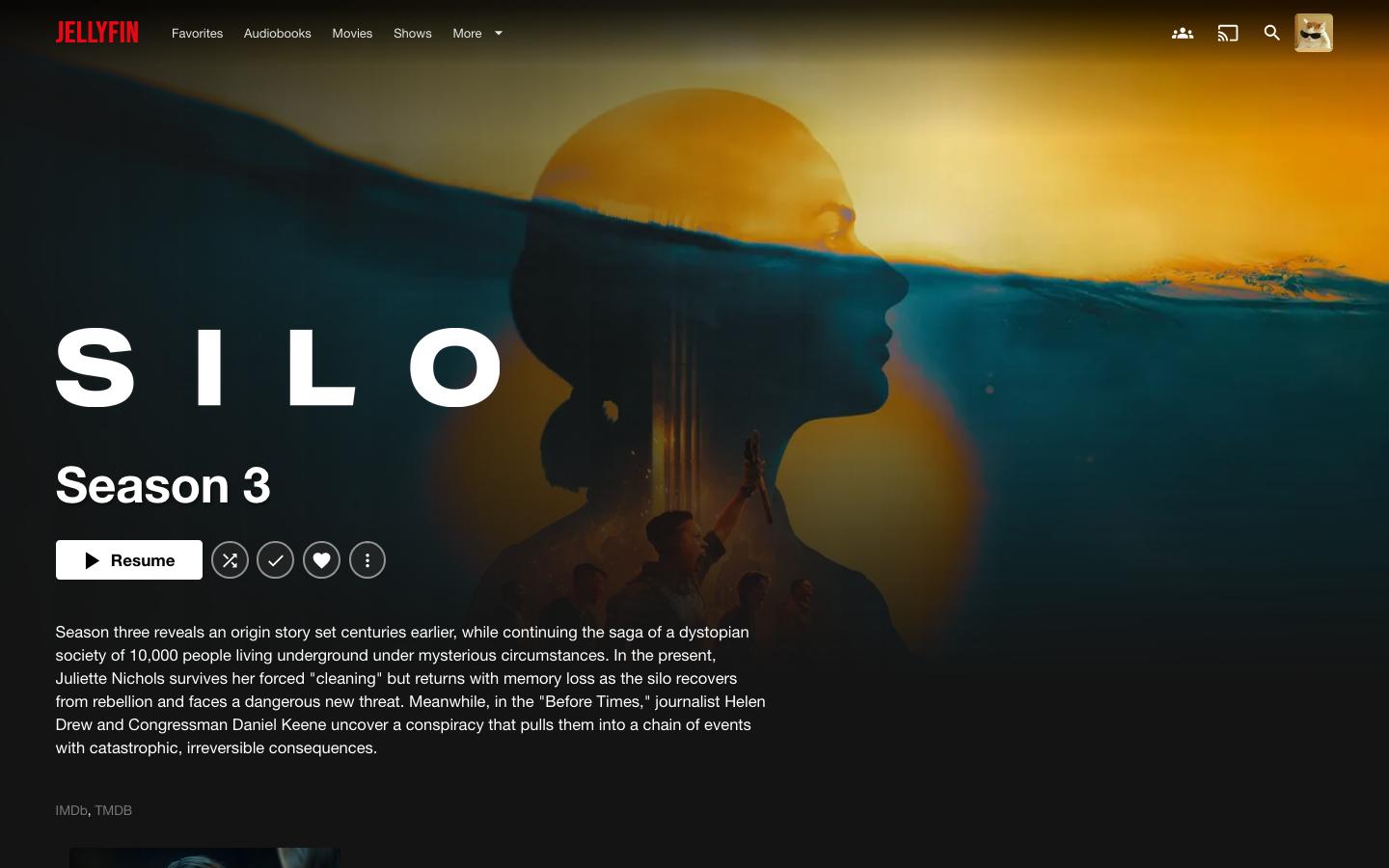 |
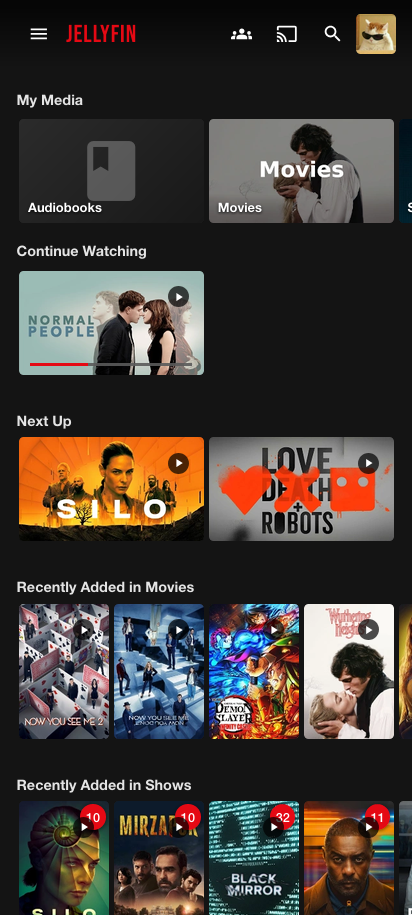 |
 |
Notes#
The theme targets the 12.x web client. It hooks into Jellyfin’s class names, so a big web client update can break parts of it. Open an issue with a screenshot if something looks off.
Netflix is a trademark of Netflix, Inc. This project has no connection to Netflix.
License#
MIT