daemon mode
Unix only (os.name == "posix"). Windows prints Daemon mode is only supported on Unix-like systems. and exits 1.
--daemon without --start is also a hard fail. The process is not a service manager. It double-forks, then runs the same run_auto_login(..., daemon_mode=True) loop as the foreground.
Files#
daemonize() creates ~/.sophos-autologin/ if needed.
| File | Purpose |
|---|---|
~/.sophos-autologin/sophos-autologin.log |
INFO logs. Format %(asctime)s │ %(levelname)-8s │ %(message)s |
~/.sophos-autologin/sophos-autologin.pid |
Child PID after the second fork |
stdin/stdout/stderr go to /dev/null. Watch the log, not the terminal.
After fork the working directory is /. Relative paths in your own wrappers will not resolve against the repo.
Lifecycle#
flowchart TD
  Cmd["python autologin.py --start --daemon"]
  Win{posix?}
  Pair{"--start present?"}
  Fork1["fork, parent exits"]
  Sid["chdir /, setsid, umask 0"]
  Fork2["second fork, parent exits"]
  Files["write log + PID"]
  Loop["run_auto_login daemon_mode=True"]
  Status["--status reads last 20 log lines"]
  Exit["--exit logout active ID"]
  Kill["deamon_exit: kill PID file, then ps-match autologin"]
  Atexit["atexit: notify Daemon has exited"]

  Cmd --> Win
  Win -->|no| Fail["exit 1"]
  Win -->|yes| Pair
  Pair -->|no| Fail2["--daemon must be used with --start"]
  Pair -->|yes| Fork1 --> Sid --> Fork2 --> Files --> Loop
  Status --> Files
  Loop --> Atexit
Exit --> KillStart, status, stop#
python autologin.py --start --daemon
python autologin.py --status
python autologin.py --exit
--status does not talk to the process. get_daemon_status() reads the log. It treats the daemon as running if recent lines mention connection checks, login attempts, or daemon started. No log file means not running. Last timestamp older than 30 minutes sets running false and an error that the daemon may be stuck.
You can also kill the PID yourself:
kill $(cat ~/.sophos-autologin/sophos-autologin.pid)
--exit is cleaner. It logs out the active credential first, then module.deamon_exit() (deamon_exit_handeler.main). That function kills the PID file process, then any ps aux line containing autologin, sal, or sla. That last sweep can catch a foreground autologin.py too. Do not run --exit if you meant to leave a non-daemon session alone.
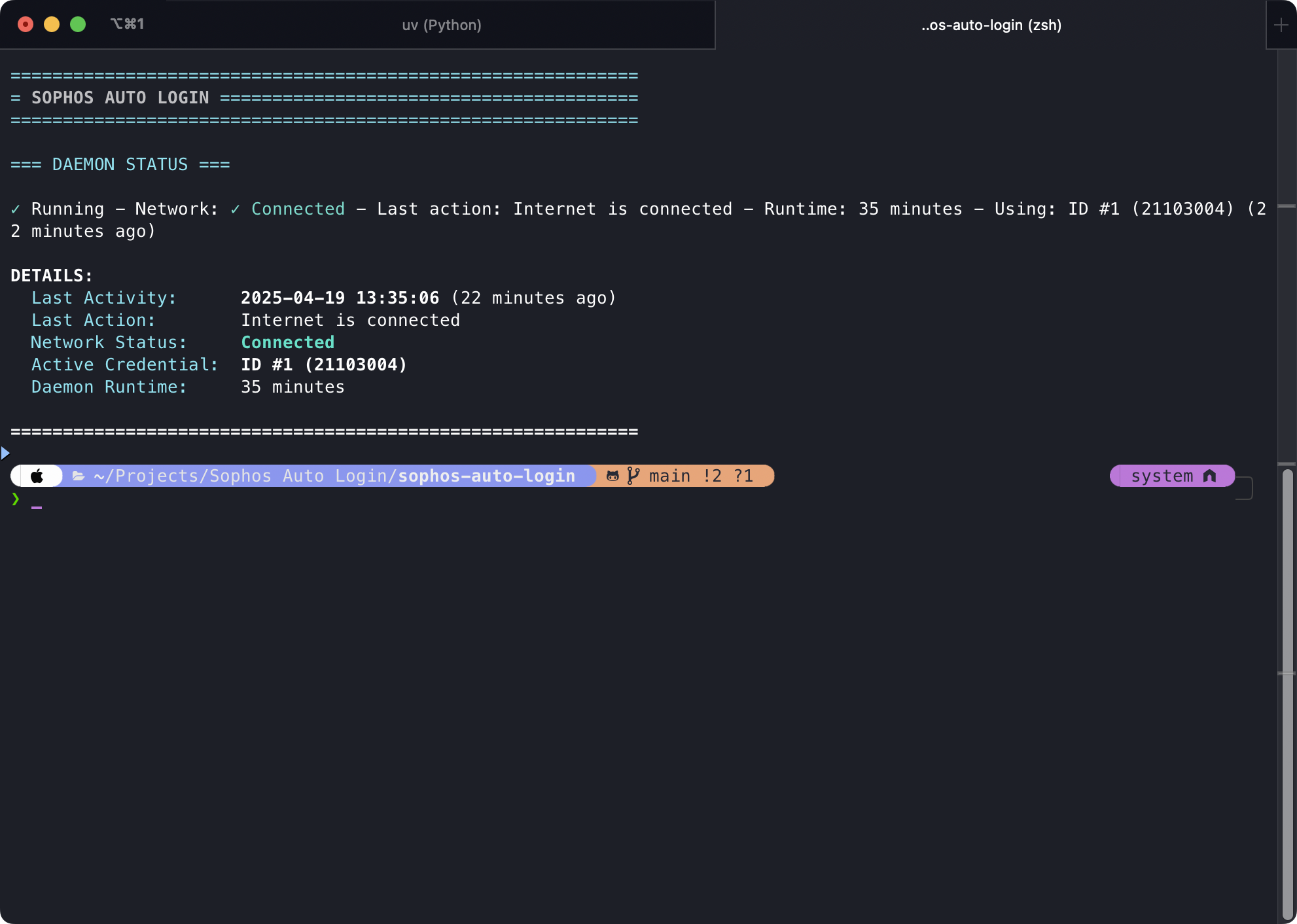
What the log looks like#
On start:
Daemon started
Daemon process started with PID …
Starting auto-login process in daemon mode
Logged in with credential ID #N (username)
Every 90 seconds:
CONNECTION CHECK | Status: ✓ Connected | Runtime: …
Active credential: ID #N (username)
➤ Internet is connected. No login needed.
Scheduled re-login uses ⟳ Performing scheduled re-login then LOGIN ATTEMPT #…. Desktop notification Sophos Auto Login / Daemon started fires when the loop begins.